
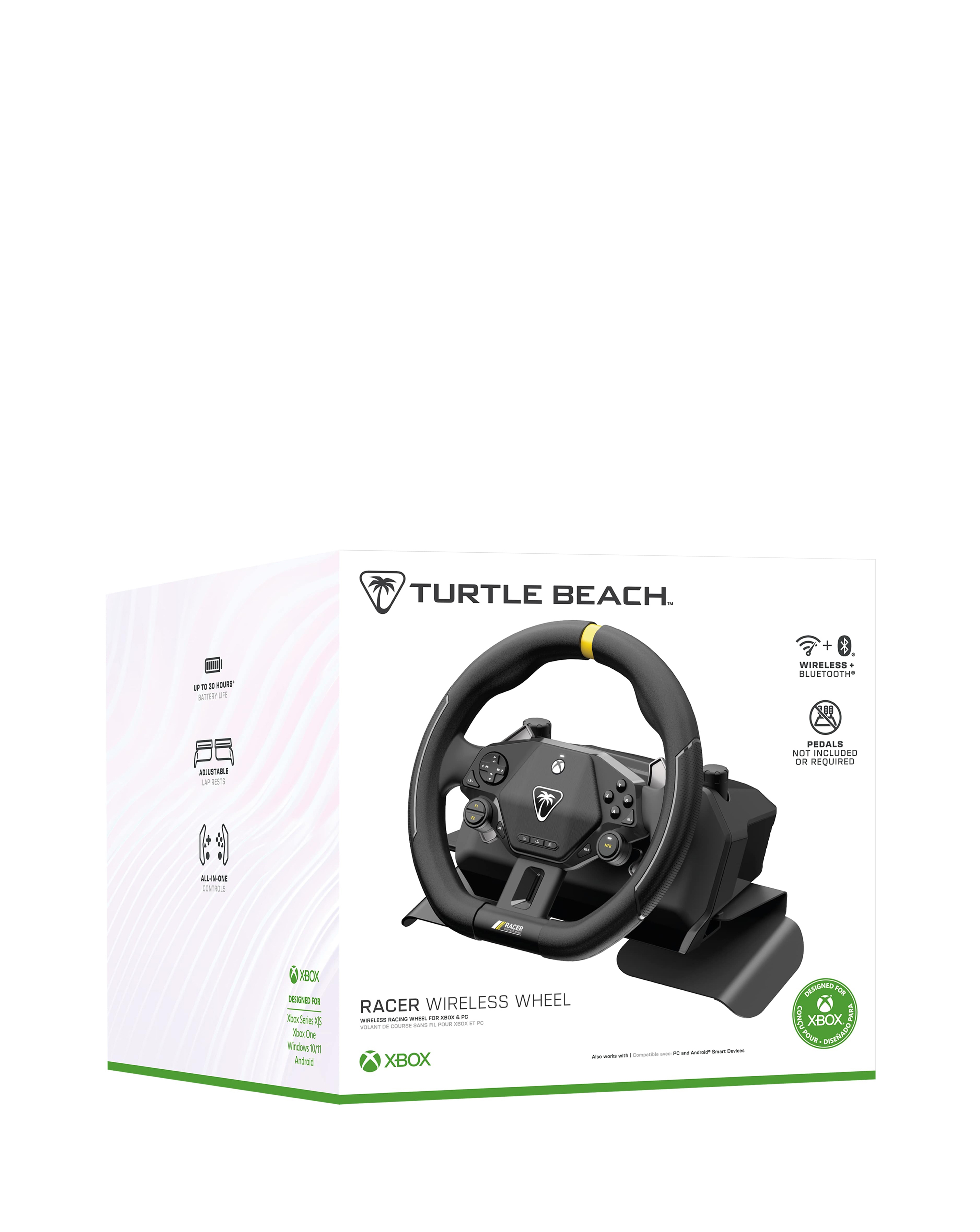
Turtle Beach Racer Wireless Wheel
139.99 GBP
Enjoy wireless racing freedom, officially licensed for Xbox consoles Windows PCs with the Turtle Beach Racer wireless racing wheel. Complete with throttle, brake, and gear controls all intuitively placed on the steering wheel, the Racer has all the essential controls you need for immersive racing on Xbox, PC or Android Smart Devices via Bluetooth. Complete, All-in-One Race Setup Control all essential functions like throttle, brake and gear shifts using dedicated analog paddles and thumb buttons on the wheel without a need for pedals. Versatile Setup Options Race from your couch using the adjustable, non-slip lap rest or mount Racer to a table or desk with the integrated table clamps. Lag-Free Wireless + Bluetooth® Connection Our proprietary, lag-free 2.4 GHz wireless connection lets you play up to 30ft away from your Xbox console PC or connect to Android Smart Devices via Bluetooth® 5.1. Up to 30-Hour Battery Life A long-lasting wireless battery life of up to 30-hours keeps you in the driver’s seat race after race without needing to recharge. Plus, the race doesn’t have to end when recharging thanks to a 10ft play-and-charge USB cable. Controller Mode Designed for your favorite racing titles as a wireless wheel, Racer also features controller mode for use as a wheel in driving games that do not support wheels like Rocket Racing Licensed for Xbox PC Racer is officially licensed for wireless gameplay on Xbox Series X|S, Xbox One and Windows 10/11 PCs. Integrated Audio Controls Plug in any 3.5mm connected headset for immersive gaming audio on Xbox or PC and easily control master volume plus game and chat mix directly from the D-pad on the wheel. Customizable Controls Two mappable quick-action buttons are intuitively placed for quick-access and are remappable to customize your racing setup to your preferred controls. Race Ready Design The soft-touch, textured wheel ensures a non-slip grip and premium feel, plus a race-inspired flat bottom design provides additional leg room for a full 360-degrees of wheel rotation. Customization with Control Center 2 Companion App Open the Control Center 2 App on your Xbox console or PC to configure the mappable buttons and make product updates.
Buy